Samsung
E-commerce
Samsung
E-commerce
Managing product pricing in e-commerce is labor-intensive due to the extensive data and variables such as time periods, discount rates, and customer segments.
To help back-office users with sales data management, I worked with two designers, a solution expert, and three engineers by identifying key challenges in the current system and crafting a new UI to tackle these issues.
Managing product pricing in e-commerce is labor-intensive due to the extensive data and variables such as time periods, discount rates, and customer segments.
To help back-office users with sales data management, I worked with two designers, a solution expert, and three engineers by identifying key challenges in the current system and crafting a new UI to tackle these issues.
Role
Role
Design Lead
Prototype
UI Design
Design Lead
Prototype
UI Design
Team
Team
Solution Expert
2 UX designers
Staff Engineer / Platform Development Group / Samsung
Senior Engineer / E-Commerce Operation Group / Samsung SDS Asia Pacific
SAP Fiori Front-end UI Developers
End-user group
Solution Expert
2 UX designers
Staff Engineer / Platform Development Group / Samsung
Senior Engineer / E-Commerce Operation Group / Samsung SDS Asia Pacific
SAP Fiori Front-end UI Developers
End-user group
Tools
Tools
Figma
Figma
Challenge and opportunities
Challenge and opportunities
Due to changes in workflows, the system no longer aligned with needs
Due to changes in workflows, the system no longer aligned with needs
With changes in their workflows, users found that the previous system version no longer aligned with their needs, requiring excessive time and effort to complete their tasks.
With changes in their workflows, users found that the previous system version no longer aligned with their needs, requiring excessive time and effort to complete their tasks.
Numerous Unused features
The previous system included numerous unused features and had an outdated user interface, making it less effective for end users.
The previous system included numerous unused features and had an outdated user interface, making it less effective for end users.
How might we streamline data management tasks, ensuring both speed and accuracy?
How might we streamline data management tasks, ensuring both speed and accuracy?
Design Directions
Design Directions
The approach went beyond just designing UI screens; we also restructured the systems for integration.
The approach went beyond just designing UI screens; we also restructured the systems for integration.
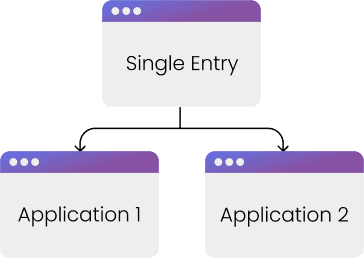
One single entry point
One single entry point
Provide a single entry point for data access ensures a consistent user experience.
Provide a single entry point for data access ensures a consistent user experience.
Quick search
Quick search
Minimize the time spent searching for items and reduce the reliance on Excel for data management.
Minimize the time spent searching for items and reduce the reliance on Excel for data management.
Scalable design
Scalable design
Create a design that supports continuous use without requiring a system overhaul, even as data volumes expand in the coming years.
Create a design that supports continuous use without requiring a system overhaul, even as data volumes expand in the coming years.
Key improvements and design iterations
Key improvements and design iterations
Simplifying item searches
Enabling quick editing of item properties
Ensuring scalability
Simplifying item searches
Enabling quick editing of item properties
Ensuring scalability
“Easy to find products”
“Easy to find products”
Collapsed v.s. Expanded
Collapsed v.s. Expanded
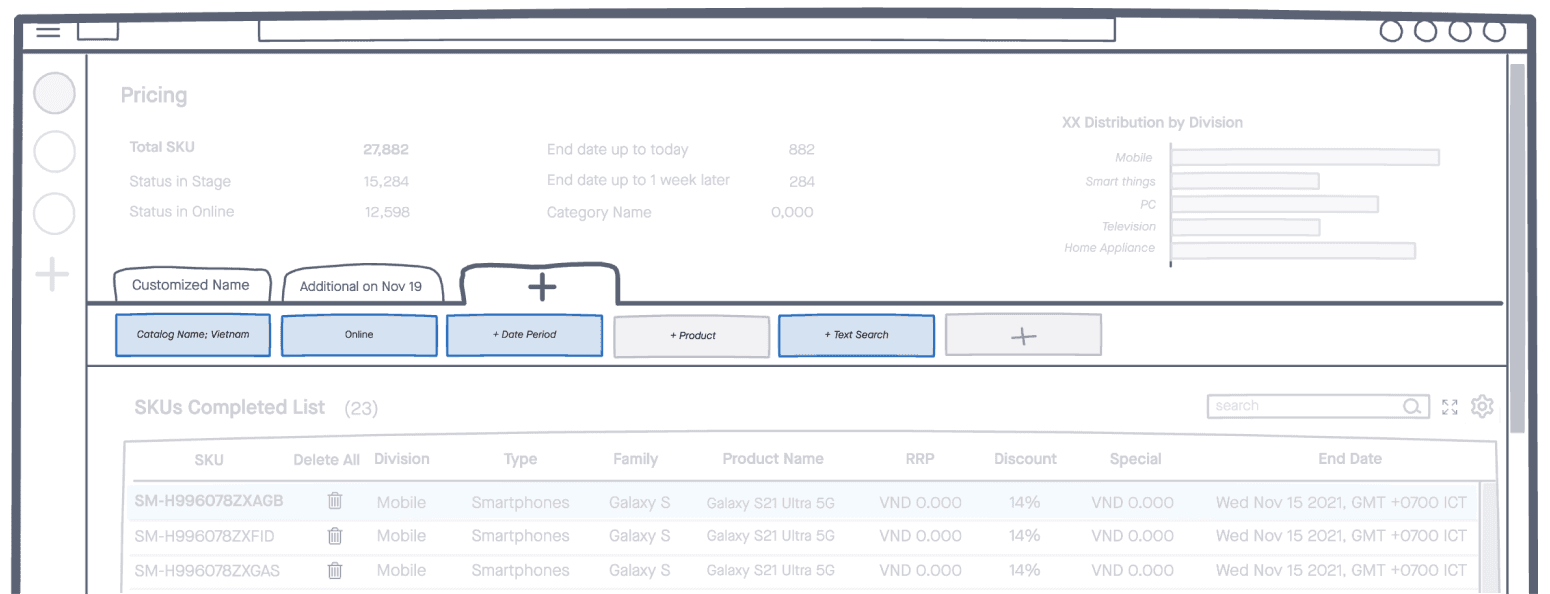
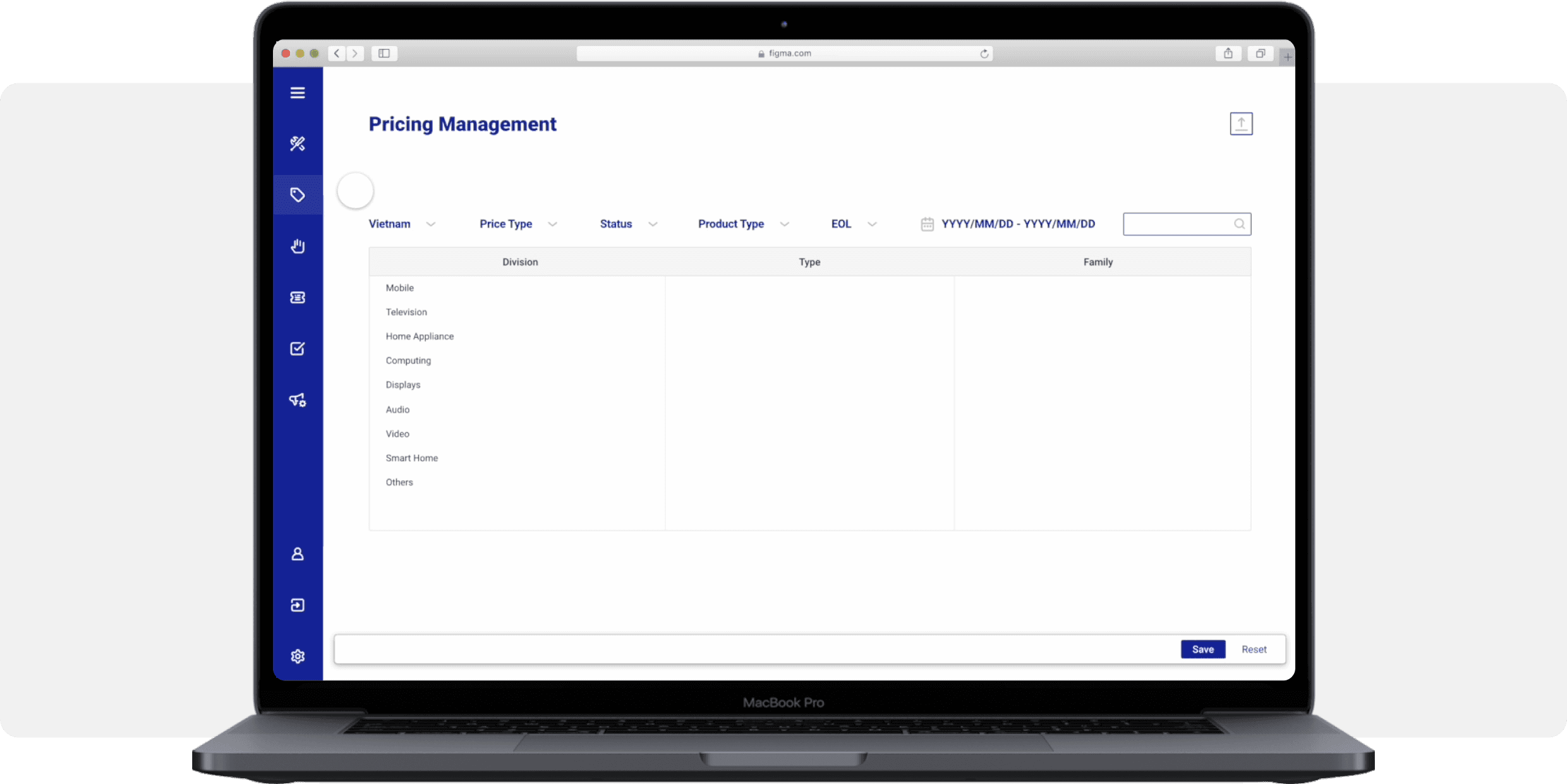
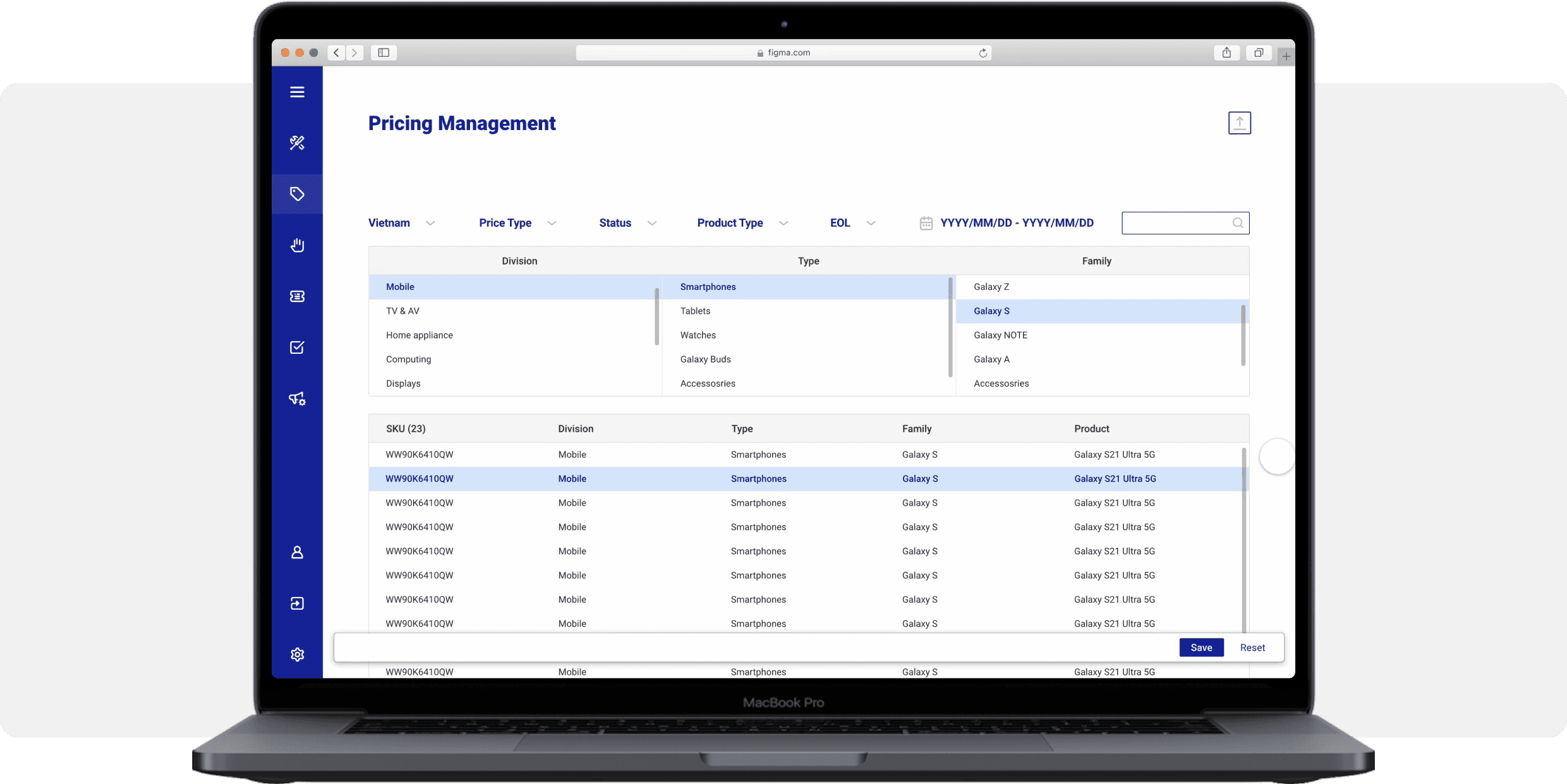
Users resorted to memorizing or noting item ID numbers and typing a few characters to locate items. To address this, I redesigned the filters for more efficient searches, eliminating excessive scrolling.
Users resorted to memorizing or noting item ID numbers and typing a few characters to locate items. To address this, I redesigned the filters for more efficient searches, eliminating excessive scrolling.
Collapsed filters maintain the combination of filtering
Collapsed filters maintain the combination of filtering
Expanded filters: easy to access at once
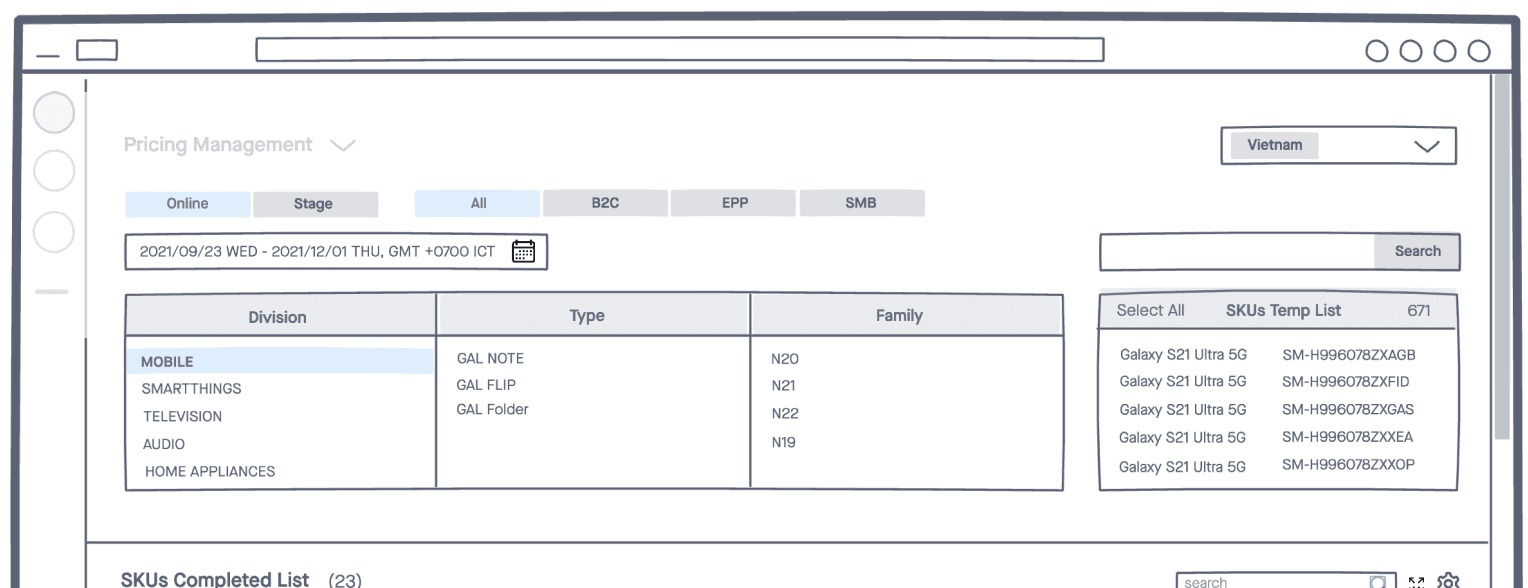
2X faster to search with fewer clicks
2X faster to search with fewer clicks
The initial step is crucial for determining work efficiency since users usually handle a large number of products.
The initial step is crucial for determining work efficiency since users usually handle a large number of products.
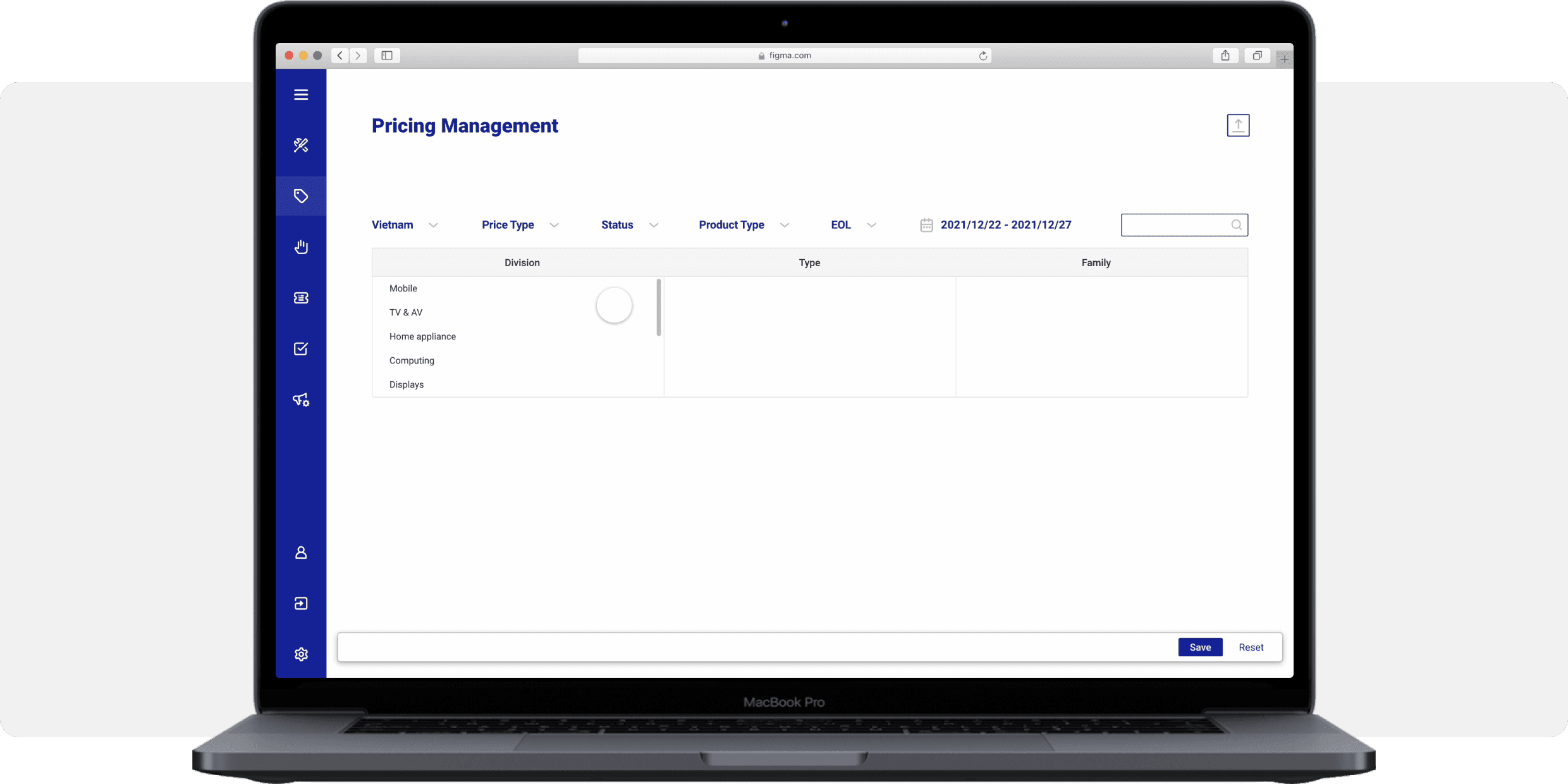
“Edit item properties quickly”
“Edit item properties quickly”
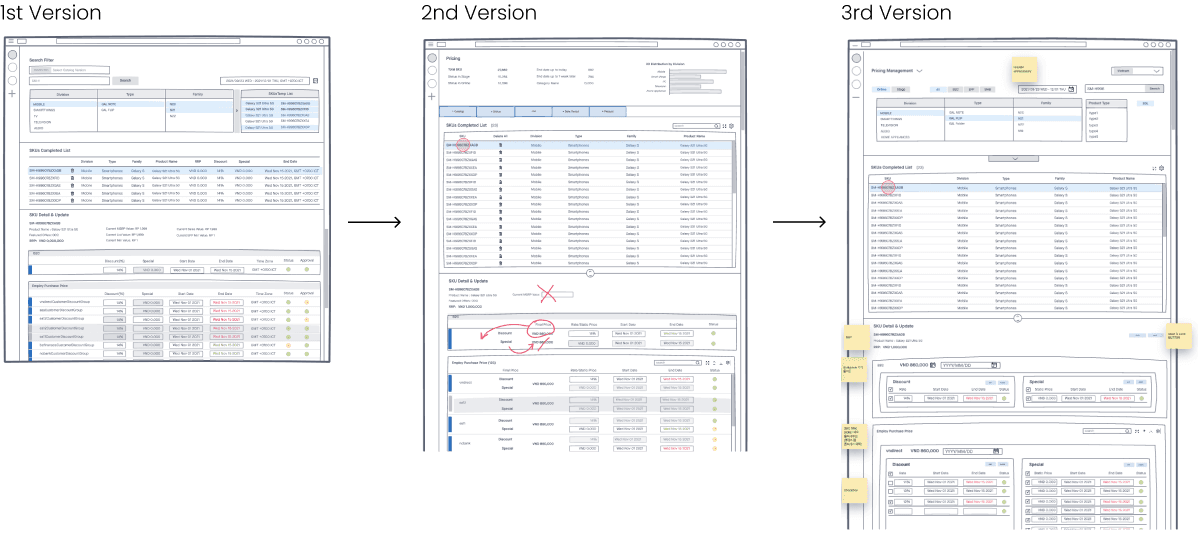
The users struggled to find and edit multiple price properties. This often resulted in missing or inaccurately editing data. I adapted our design to finally putting both separately into sections after iterations
The users struggled to find and edit multiple price properties. This often resulted in missing or inaccurately editing data. I adapted our design to finally putting both separately into sections after iterations
Data on a column
Data on a column
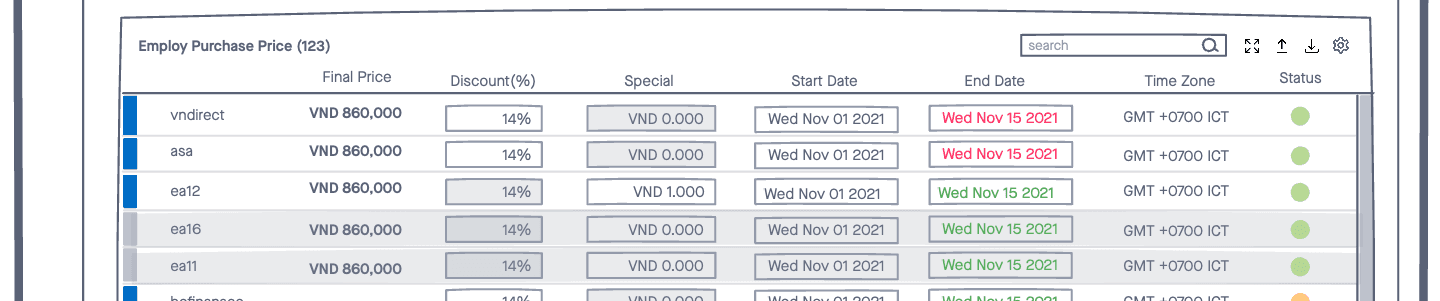
Data on a row
Data on a row
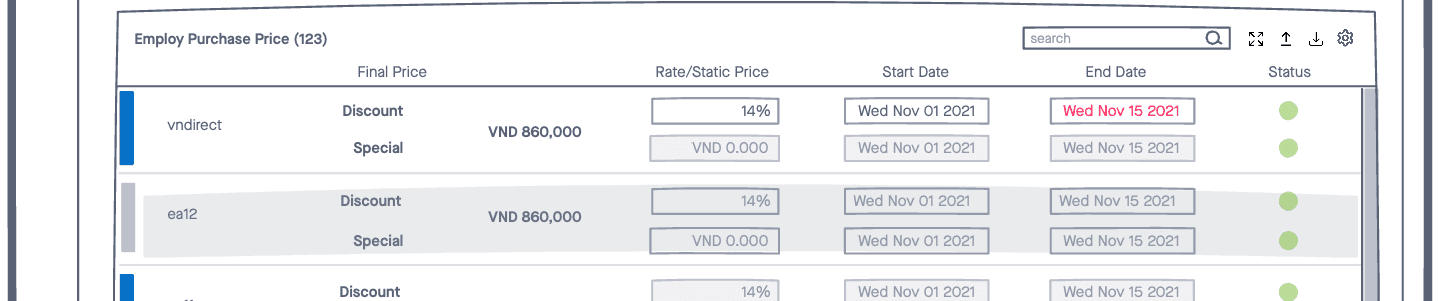
Data in a section
Data in a section
Multi-selection at once
Multi-selection at once
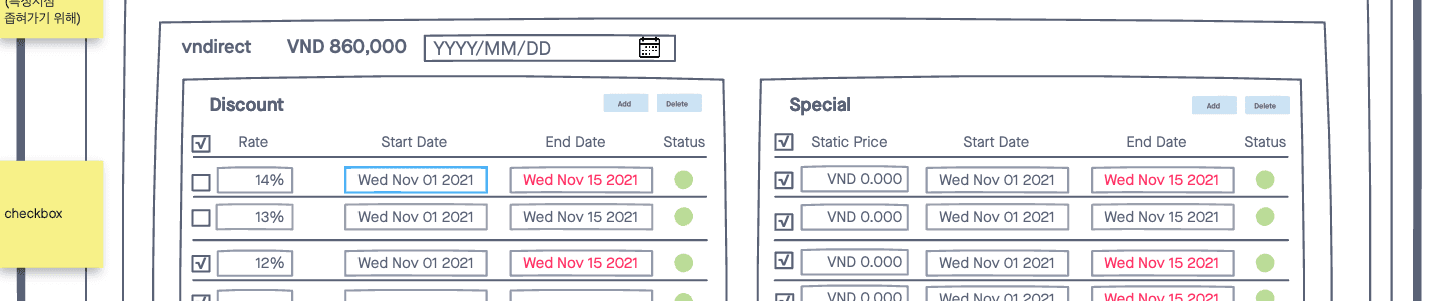
In the previous version, users couldn't select multiple items at once, leading to repetitive selection and adjustment actions. Now, users can choose and update several items at once with fewer clicks.
In the previous version, users couldn't select multiple items at once, leading to repetitive selection and adjustment actions. Now, users can choose and update several items at once with fewer clicks.
Create, edit, and update at once
Create, edit, and update at once
The popular buttons and checkboxes that users use frequently were placed close to editable fields to minimize the time spent on mouse exploration.
The popular buttons and checkboxes that users use frequently were placed close to editable fields to minimize the time spent on mouse exploration.
“Make it scalable”
“Make it scalable”
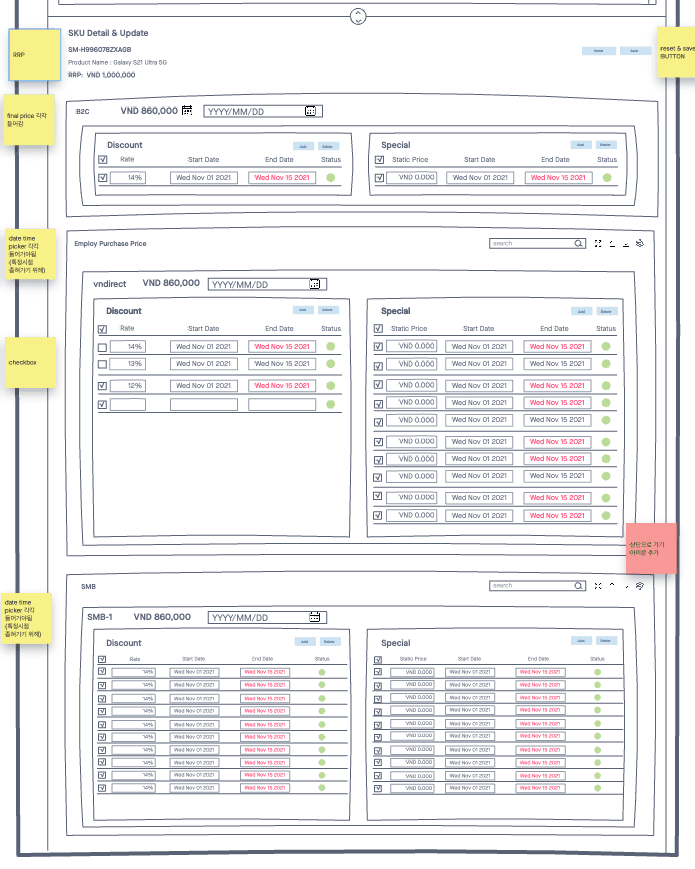
With a catalog of over a million products, each potentially having hundreds or thousands of price types, our goal was to help users focus on the items they manage.
To achieve this, we introduced a collapsible/expandable feature for lengthy product lists, reducing the need for endless scrolling to locate other products for editing.
With a catalog of over a million products, each potentially having hundreds or thousands of price types, our goal was to help users focus on the items they manage.
To achieve this, we introduced a collapsible/expandable feature for lengthy product lists, reducing the need for endless scrolling to locate other products for editing.
A long scrollable screen for a linear flow
A long scrollable screen for a linear flow
The UI employs a long-scrolling design to display more information at once, reducing clicks and saving time. Users can also collapse other items to focus on editing a single item efficiently.
The UI employs a long-scrolling design to display more information at once, reducing clicks and saving time. Users can also collapse other items to focus on editing a single item efficiently.
Takeaways
Takeaways
I learned the complexities of managing online sales data, with catalogs ranging from thousands to millions of products and attributes varying by selling location and timing.
Repetitive tasks like updating prices or discounts inspired me to explore integrating AI for productivity. By interconnecting systems like sales and customer management, computers could autonomously identify data edits, leaving humans to focus on reviewing outcomes.
I learned the complexities of managing online sales data, with catalogs ranging from thousands to millions of products and attributes varying by selling location and timing.
Repetitive tasks like updating prices or discounts inspired me to explore integrating AI for productivity. By interconnecting systems like sales and customer management, computers could autonomously identify data edits, leaving humans to focus on reviewing outcomes.